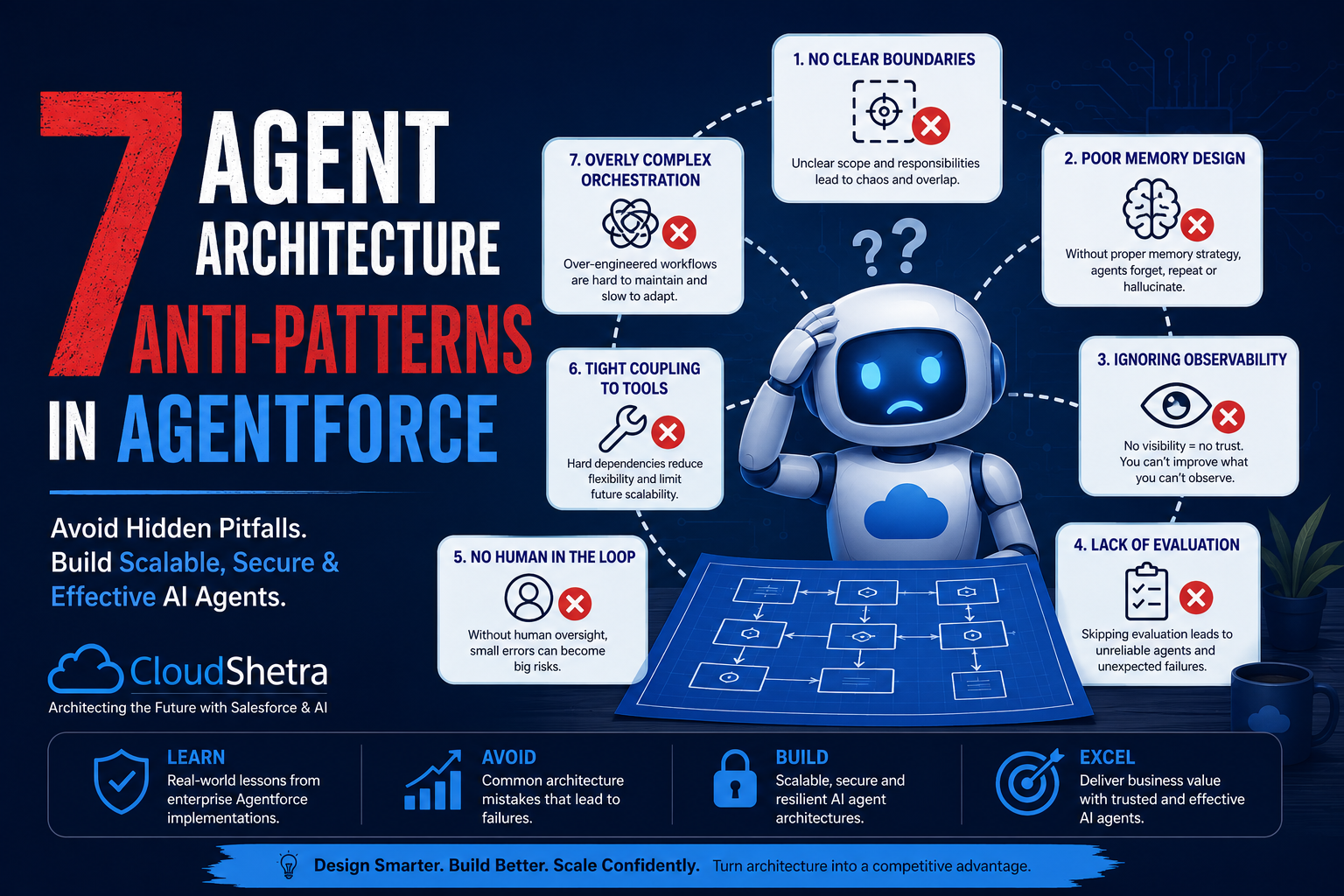
Classic distributed systems taught us hard lessons about computing, failure cascades, and God objects. Agentforce is repeating them – just faster and at higher stakes. Here are seven patterns to recognize and fix before they reach production, grounded in Salesforce’s latest platform documentation.
We’hve been here before. When SOA emerged, teams built God Services. When microservices took over, they created chatty spaghetti. When event-driven architecture became mainstream, teams forgot idempotency and drowned in event storms.
Agentforce is the next architectural frontier – and its inheriting the same sins. The stakes are higher because agents are autonomous. A badly designed service fails silently. A badly designed agent acts confidently in the wrong direction.
Salesforce itself acknowledges this: their official Enterprise Agentic Architecture whitepaper states that robust agentic solutions require clear approaches to “Security and Governance, Observability & Monitoring, and Operationalization and Lifecycle Management” – none of which are optional afterthoughts. What follows maps these failure modes to their classic distributed systems equivalents, with concrete fixes grounded in the latest platform capabilities.
1 The God Agent
One Agentforce agent handles every step of a business process – qualification, case creation, routing, escalation, follow-up and reporting. The topic list grows week over week. No one wants to split it because “the agent already knows everything”.
Warning Signals
- Agent has more than 8 topics and 15+ actions
- Different business teams are all editing the same agent instructions
- A prompt change for one use case breaks an unrelated flow
- Context window fills up mid-conversation, truncating memory
The Fix
- Apply single-responsibility: one agent per bounded domain context
- Use multi-agent orchestration via the Orchestrator pattern – a Supervisor agent delegates to Specialists
- Separate Sales, Service, and Ops agents with clean handoff contracts via A2A protocol
- Treat topic scope like a microservice boundary: narrow, owned, testable
2 – The Chatty Agent
The agent calls an external API or Apex action for every small decision – checking account status, then fetching tier, then validating SLA, then pulling open cases – each as a seperate round-trip. The latency compunds. Users notice. Admins assume the model is “thinking”.
Warning Signals
- Agent takes 8-15 seconds per turn for what feels like a simple lookup
- Actions are granular reads: get_account, get_tier, get_open_cases – all sequential
- No composite data actions exist; everything retrieves one field at a time
- Action call logs show chains of 5+ calls before the first agent response
The Fix
- Build composite actions: one Apex invocable that returns a rich context object
- Design actions around “what does the agent need to decide?” not “what does the API expose?”
- Pre-fetch customer context at conversation start using a priming action
- Use Data 360 gounding to unify external + CRM data before the first agent turn
- Leverage Agentforce 3’s external object support in Prompt Builder for real-time grounding without sequential API calls
3 – The Silent Failure Agent
An action fails – a Flow throws an error, an API times out, a permission is missing. But the agent doesn’t surface the failure cleanly. It either hallucinates a plausible response, tells the user I have taken care of that, when nothing happended, or silently falls back to a generic reply. The business discovers the problem through escalation, not logs.
Warning Signals
- Apex actions catch all exceptions and return success with null data
- Agent instructions dont specify what to say when an action returns no result
- No error handling topics or fallback instructions exist in the agent config
- Einstein Trust Layer audit trail logs aren;t being reviewed post – deployment.
The Fix
- Return structured error signals from every action – not just null
- Instruct the agent explicitly on how to handle action failures (tell user, escalate, retry)
- Build a dedicated error – handling topic that routes to a human when confidence is low
- Enable Einstein Trust Layer audit trail – every prompt’s journey is logged in Data 360
- Use toxicity detection scoring to catch harmfull or nonsensical fallback responses
4 – Prompt Spaghetti
Agent instructions are a single blob of natural language – IF/THEN logic in prose, contradictory edge cases added over months, no one owning the whole. The Atlas Reasoning Engine selects actions based on label and description: vague or conflicting instructions lead directly to wrong action selection.
Warning Signals
- Instructions exceed 800 words with no selections
- Topic-level instructions contradict agent-level ones
- No testing before production changes go live
The Fix
- Structured sections: Role, Constraints, Tone, Errors, Escalation
- Move conditional logic to Flow or Apex – keep instructions declarative
- Follow the ADLC: version instructions in Git, test with testing center
5 – Context Amnesia
The agent re-asks for information already provided. Context from turn 2 doesn’t inform the decision in turn 8. Returning users are treated as strangers. Every ocnversation starts from zero.
Warning Signals
- Agent asks for info already given earlier in the session
- No conversation variables set or referenced across actions
- Returning users get the same opening as first-time users.
The Fix
- Use conversation variables to carry context across the session
- Pre-load CRM context using dynamic grounding before turn one
- Use Data 360 unified profile as the persistent cross-session layer
6 – The Human Bypass
The agent goes end-to-end with no designed escalation path. When uncertain, it guesses. When it failes, it loops. No transfer-to-human topic, no confidence threshold, no graceful exit. The demo never needed one – production does. Salesforce official Geeter and Operator patterns exist specifically to solve this.
Warning Signals
- No “escalate to human” topic exists in the agent design
- High-value or regulated decisions are in scope with no overrride
- No SLA defined for when agent handoff must trigger.
The Fix
- Design the escalation path before the happy path
- Use Greeter/Operator patterns for warm handoff to human or AI agents
- Pass full conversation context to the queue on transfer.
7 – The “Trust Me” Agent
The agent is live with no structured observability – no KPIs beyond CSAT, no session tracting, no alert on action failure rates. Agentforce 3 shipped Command Center specifically because “teams can’t see what agents are doing”. Agentforce 360 deepends this with session-level tracing stored in Data 360 via MuleSoft Agent Fabric. The tooling now exists. Use it.
Warning Signals
- No defined KPIs beyond CSAT
- Command Center deployed but nobody reviews it
- Session tracing not enabled in Data 360.
The Fix
- Use Command Center as your single agent mission control
- Enable session tracing: every reasoning step logged in Data 360
- Define 4-6 KPIs before launch: containment, escalation, action failure rate, topic match
The Pattern Behind the Patterns
Every one of these anti-patterns comes from treating Agentforce as a deployment problem rather than an architecture problem. The distributed systems fundamentals still apply: bounded scope, composite interfaces, explicit failrue modes, structured state, designed escalation and real observability. The LLM at the center doesn’t change those principles – it just raises the cost of skipping them.
With Agentforce 3 and Agentforce 360, Salesforce has shipped the platform tooling to address all seven. The platform gap is closed. The design gap remains on us.


Leave a Reply